Two Weeks ago I stated my goals was to send a email to the customer info about their order like how amazon and eBay do when you purchase items and last weeks goals was to allow the manager to accept or denied employees day off request .Nest week I will implement a help file to allow the user to navigate thru the program if they don’t know not to.
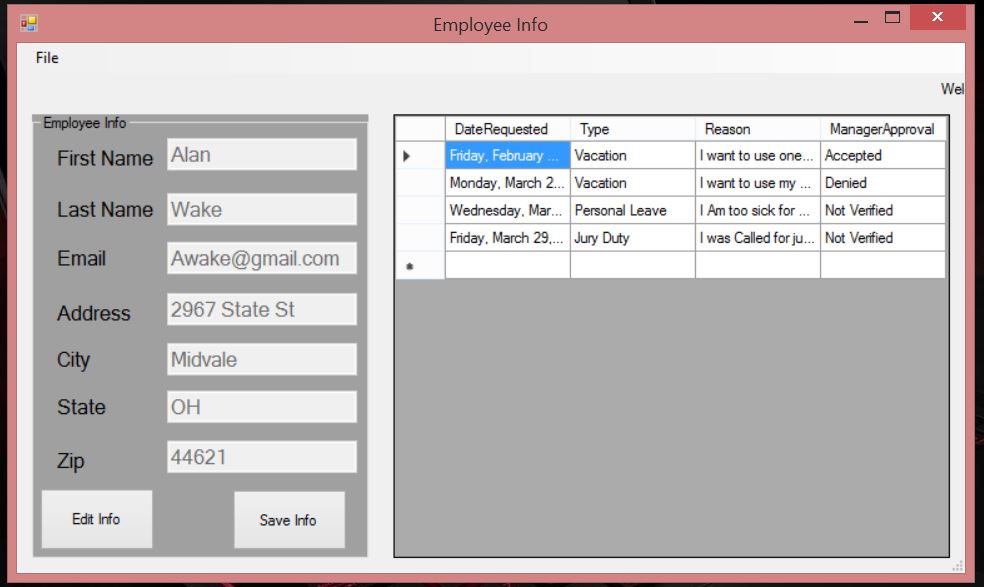
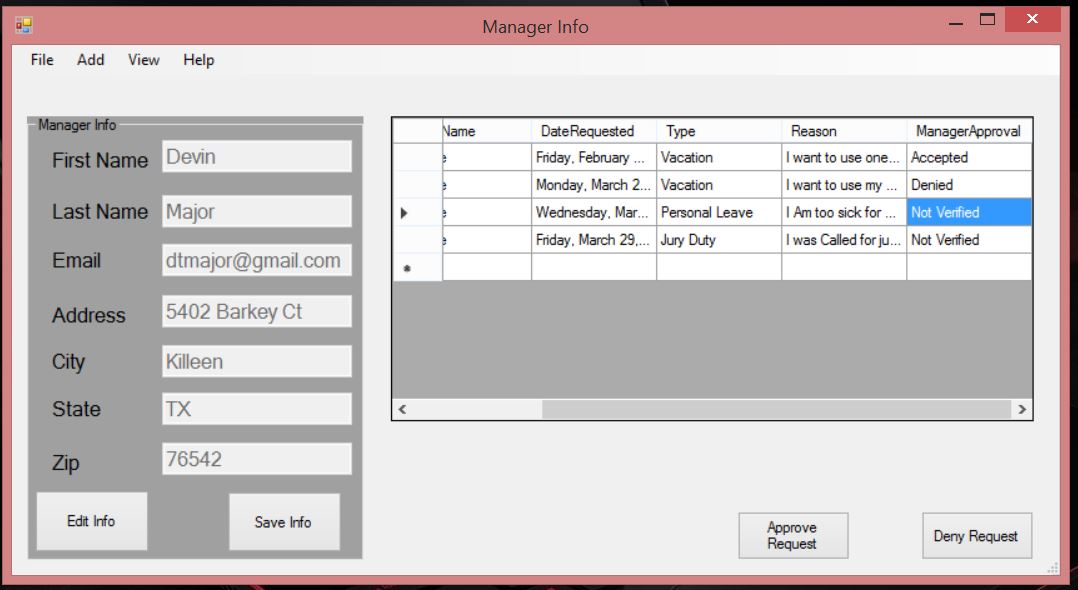
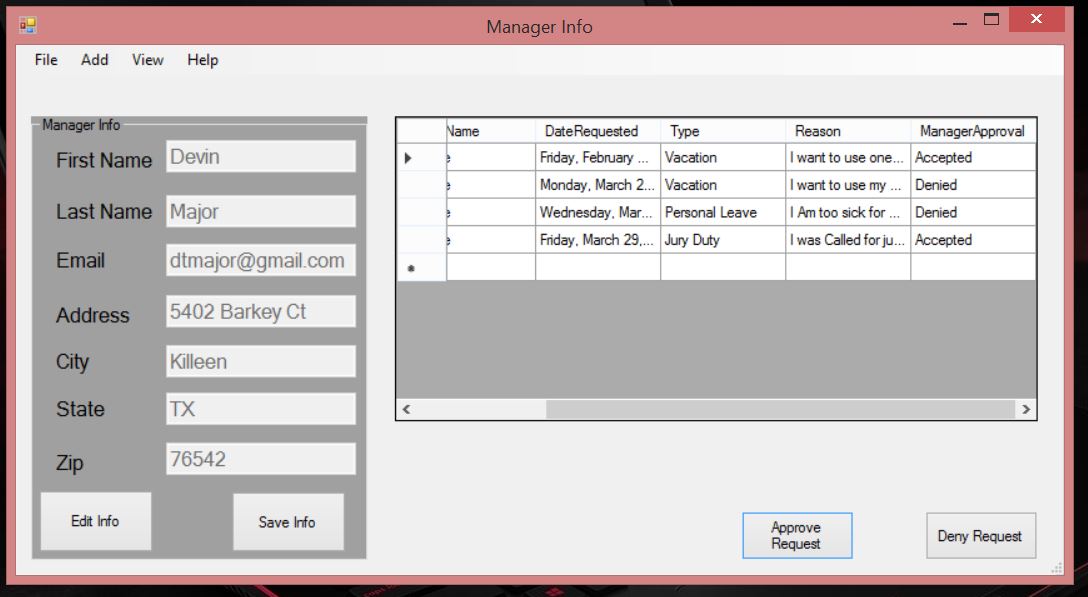
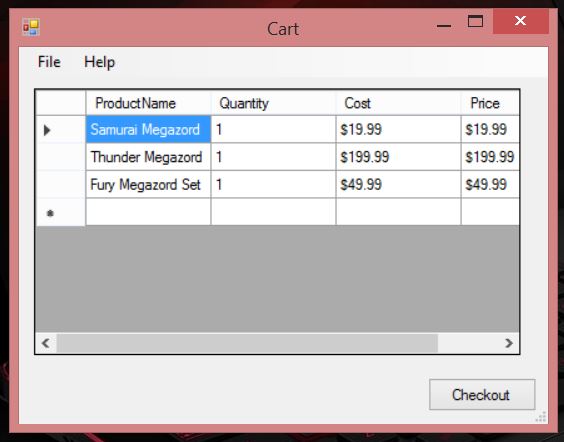
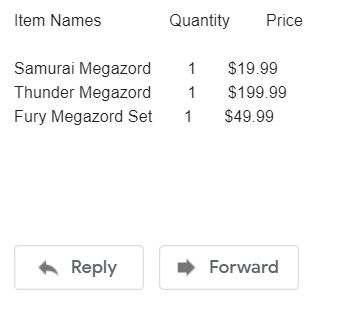
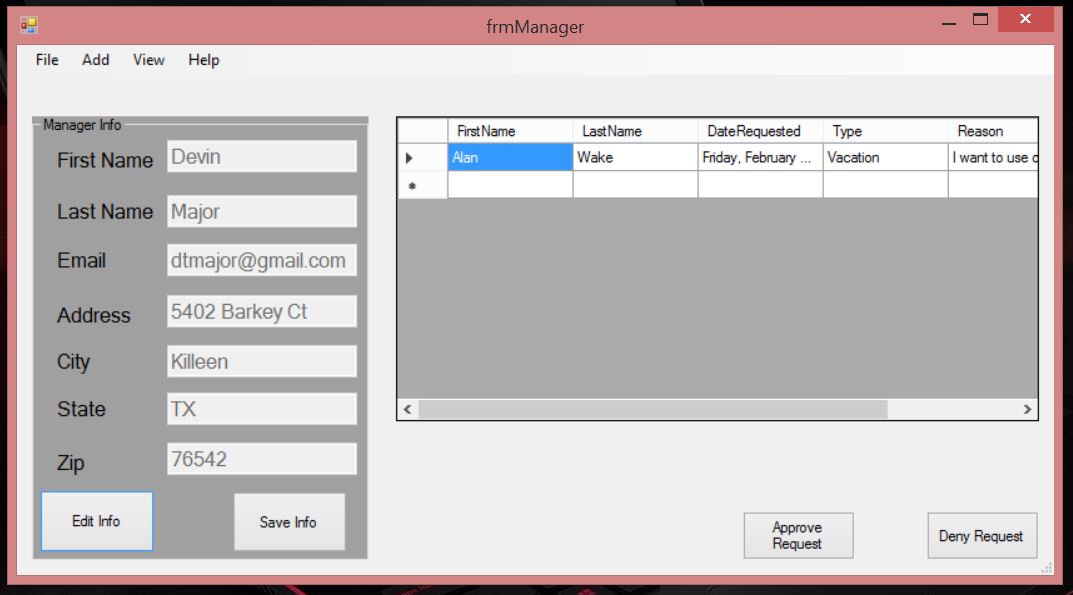
this is the manager form where we can view all of the request for days off we receivelet denied Alan wake third request first we click on any cell in the third row then we click deny request buttonAnd Alan third request has been denied and he can view the requested that have been accepted or denied when he logs inlet say these are the item the customer want to purchase if the user check checkout these will be put into an order detail to the customer emailAfter you input your email and password you should be receiving an email about the order details
Two Weeks ago my goals was to add an update feature to the cart to allow the customer to update the quantity of the item in the Cart.
I wanted to finish it last but I couldn’t due to some circumstances out of my control but I was able to complete it this week. Next week My goal will be to send a email to the customer info about their order like how amazon and eBay do when you purchase items
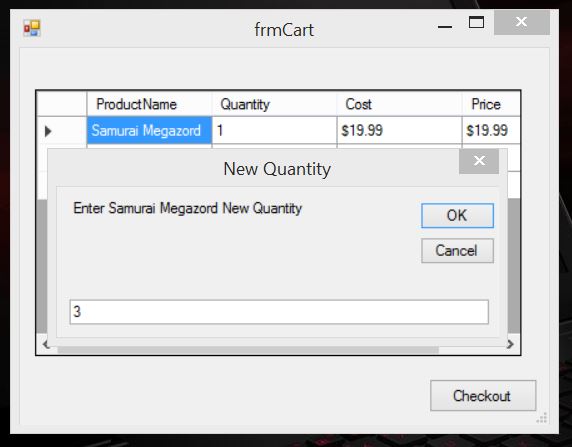
if the user want to update an item in the cart the user clicks the item name and a prompt will appear if they want to update the quantity if we click YESA mini input box will display asking for the the item new quantity in this case we want 3 “Samurai Megazords” instead of 1,and when we click OK.Samurai Megazord New Quantity is 3 instead of 1
The goal of this week was allowing the Manager to print a copy of the inventory to see if the manager needs to restock the inventory. It took little time at all to create a report of the Inventory summary. Next week I will add a update feature to the cart to allow the customer to update the quantity of the item in the Cart.
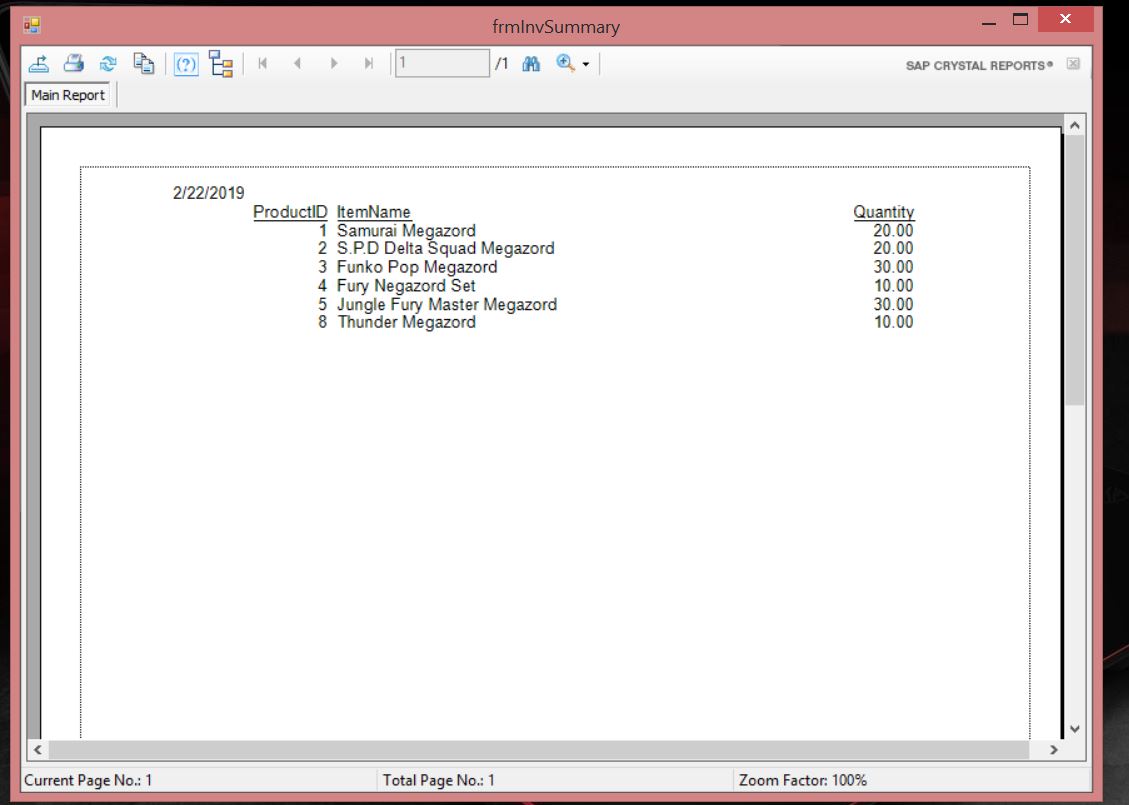
this is the Managers form if the manager want an a review of the inventory he click View then Check InventoryHere we see the Product name and their quantity and as we can see we are almost of product #6 the “Thunder Megazord” and we need to acquire some more
The goal of this week was allowing the customer to add item to a cart and display the contexts into a receipt. It took no time at all to create and set up a crystal report of the receipt. Next week I will work on allowing the Manager to print a copy of the inventory to see if the manager needs to restock the inventory
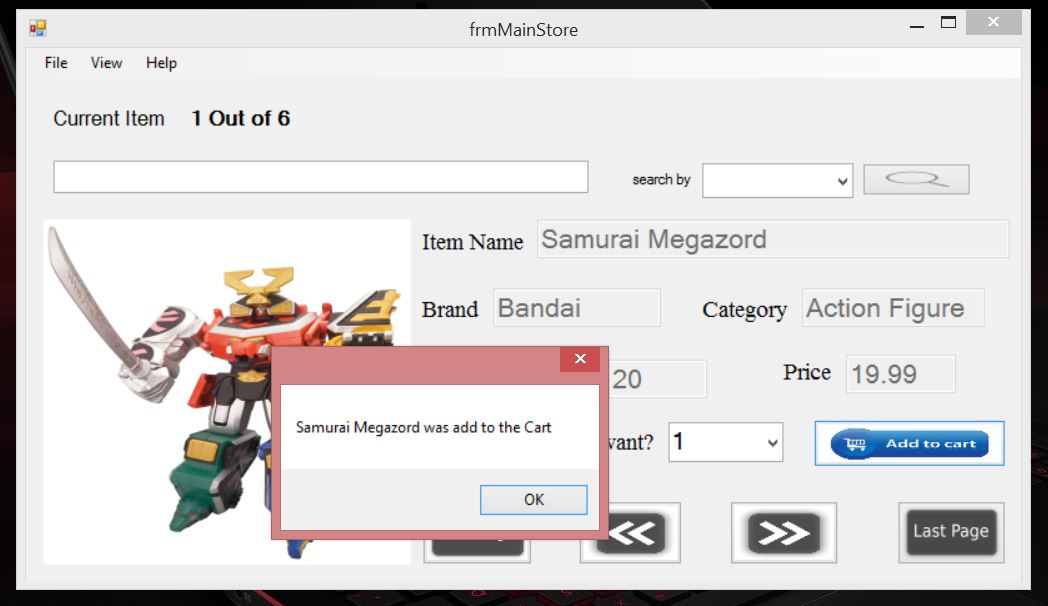
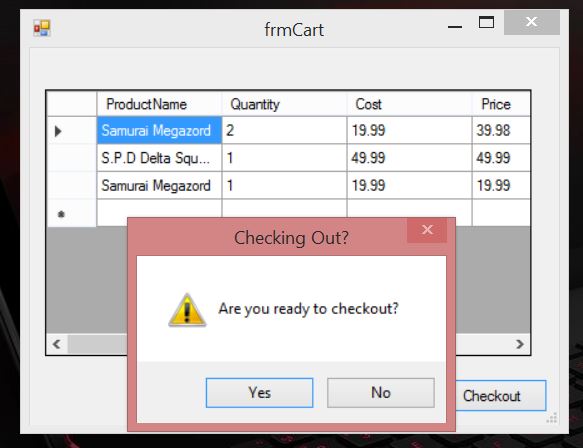
when the customer want a product they enter the number of product they want and when they click the Add to Cart button the product will be add to the Cartthis form show all the products that the customer want to purchase. When the customer click the check out button and clicks the yes button after the promptthe customer will receive a receipt of all the products they purchased
The goal of this week was the manager to input the employees schedule. It did take a while to select only the names of the employees that weren’t the manager and display it into a combo box that the manager could select but i was able to accomplish that by storing them into a variable and then adding them to the combo-box. next week I will work on allowing the customer to add item to a cart and display the contexts into a receipt.
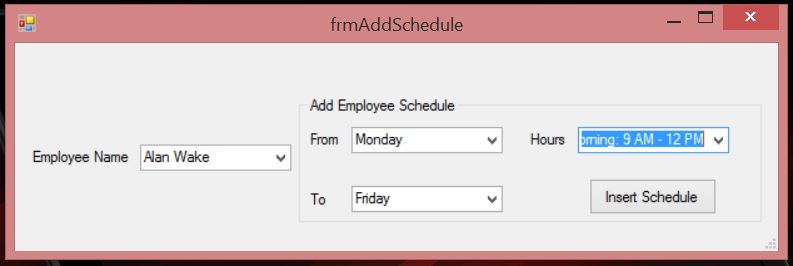
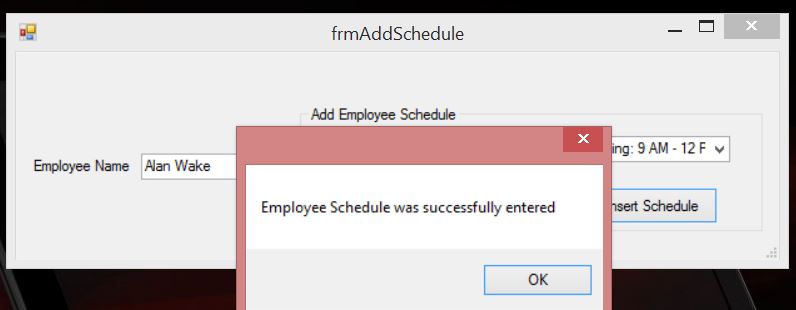
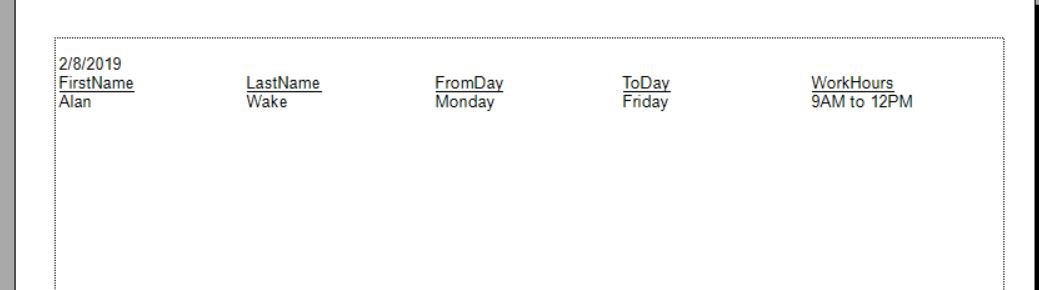
this is the employee schedule form the manager can access. Here the Manager can enter the Employee Name, the days and hours they will work for once the manager click the “insert schedule” button. a message will display that the schedule was successfully inputted and clear the value the manager has selectedwhen the manager goes to print the schedule the employee name, the days and hours they work for will be displayed
The goal of this week was allowing the employee to submit there schedule to the manager but as I was working on it i was informed that the manger does the employee schedule instead of the Employee so that will be next goal but i was able to allow the employee to submit a time off request to the Manager. Next week goal is to allow the manager to input the employees schedule
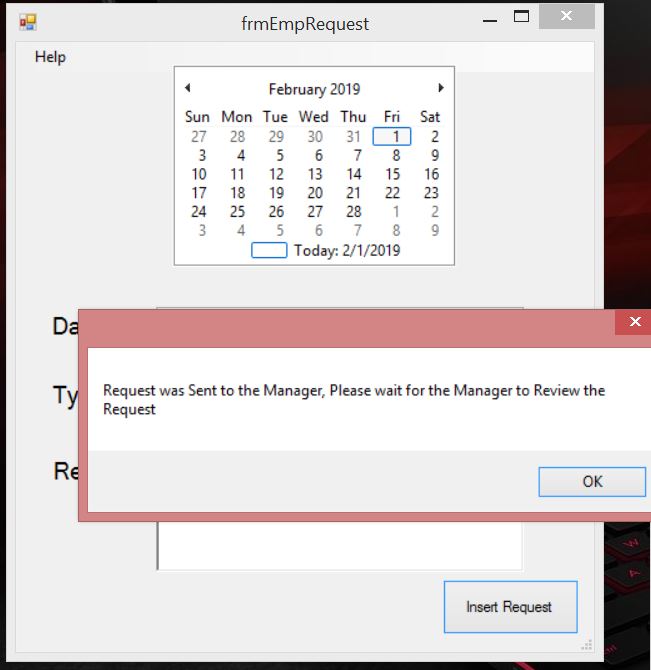
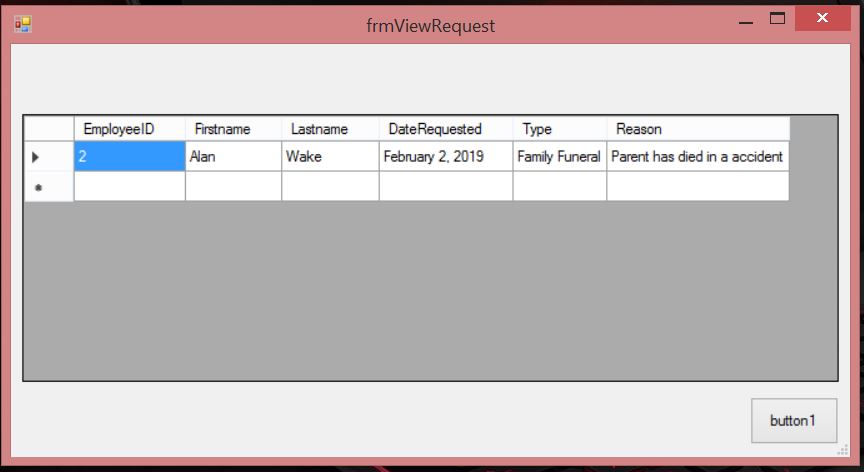
the Employee can access request form from the Employee form, when they enter The Date, type and reason for a day offa Message will display that the request was successful and when the Manager goes to view the requestthe Manager view all the request the employees sent
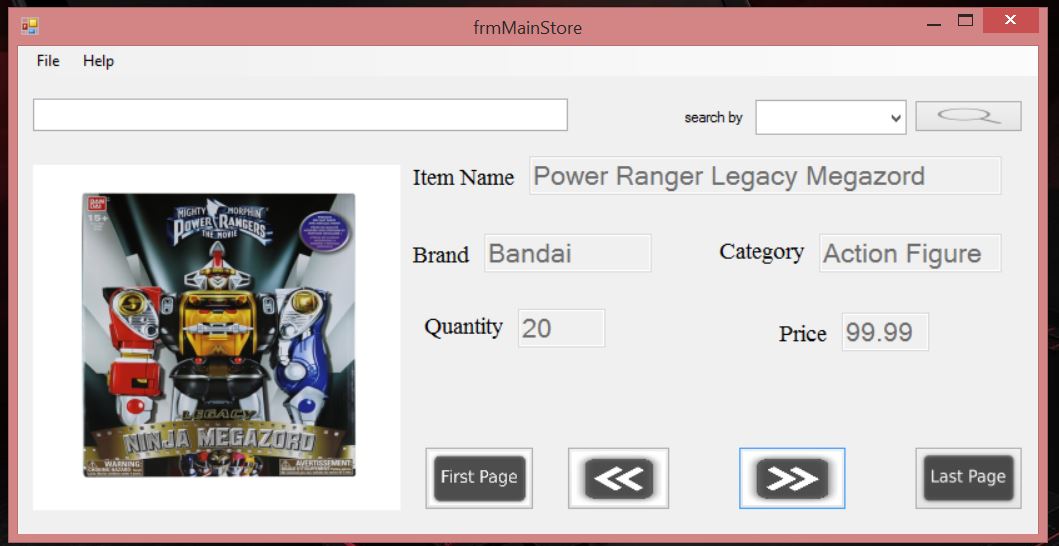
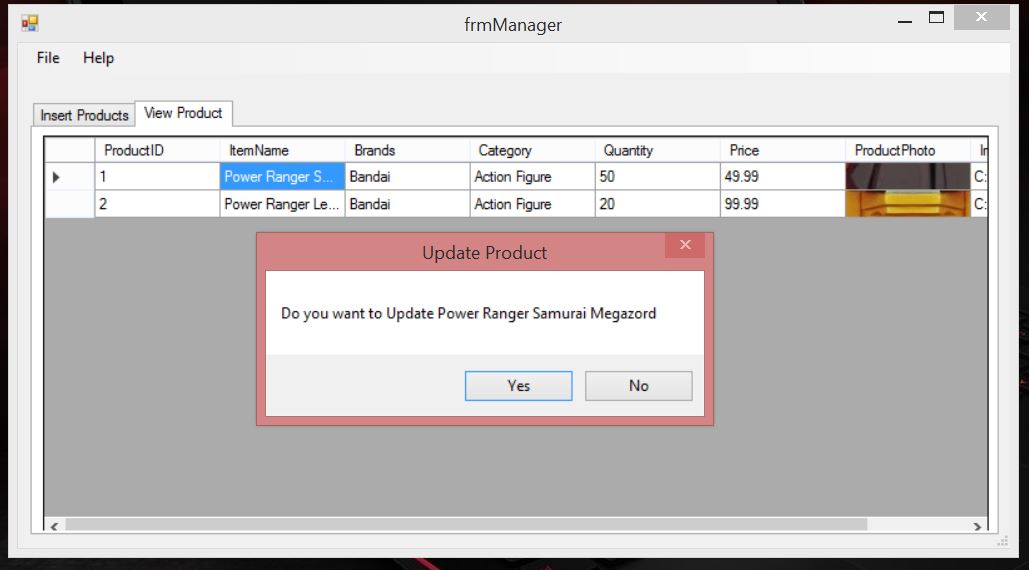
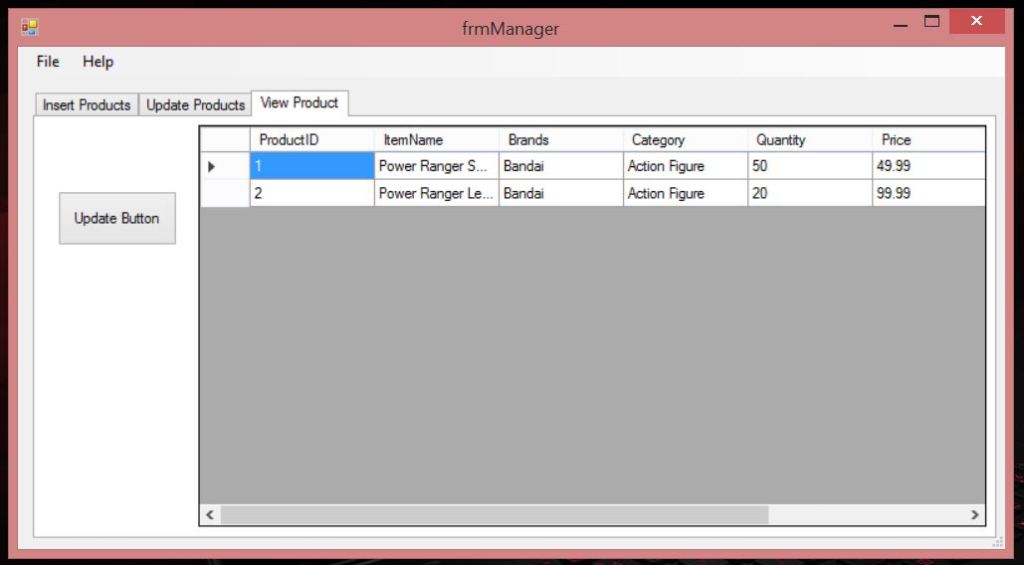
The goal of this week was to allowing the customer to view the products available in the store, it did take a few hours to display all the info the customer need to know about the product and i was also able to revise the update and delete function of the products for the manager to where if they click a cell in the datagridview the message will display asking if they want to update or delete the products and user will be shown a tab allowing the user to change information of the product. next week I will working on allowing the employee to submit there schedule to the manager
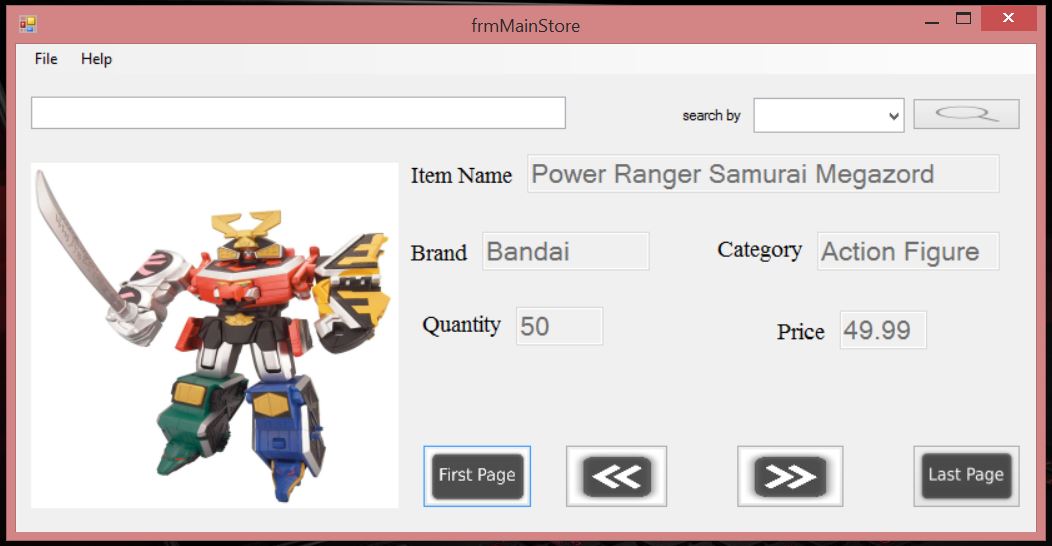
this is the form the customer will be able to view and will display info about the product when the user click the any of the four buttons
the info and picture of the products changes
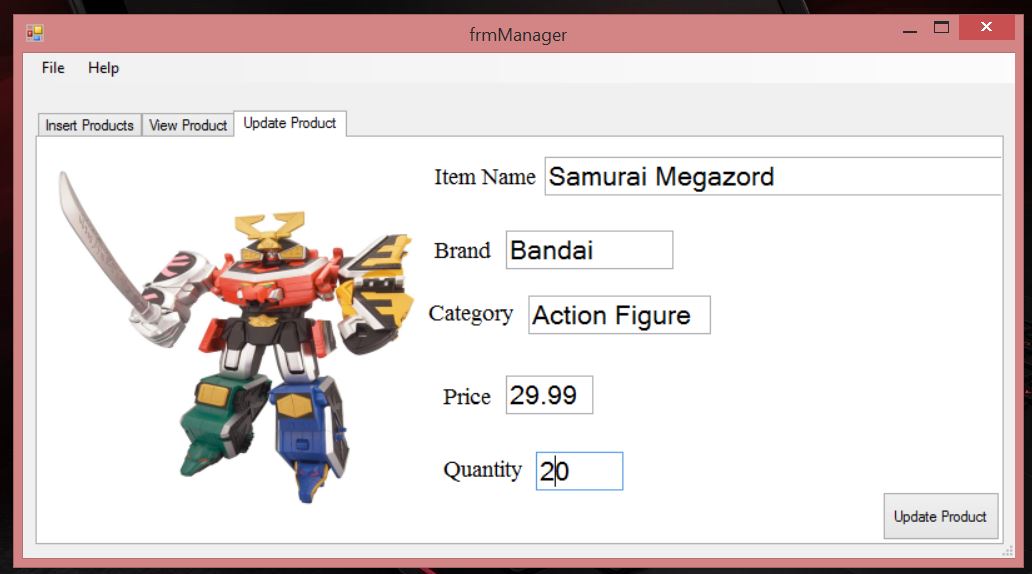
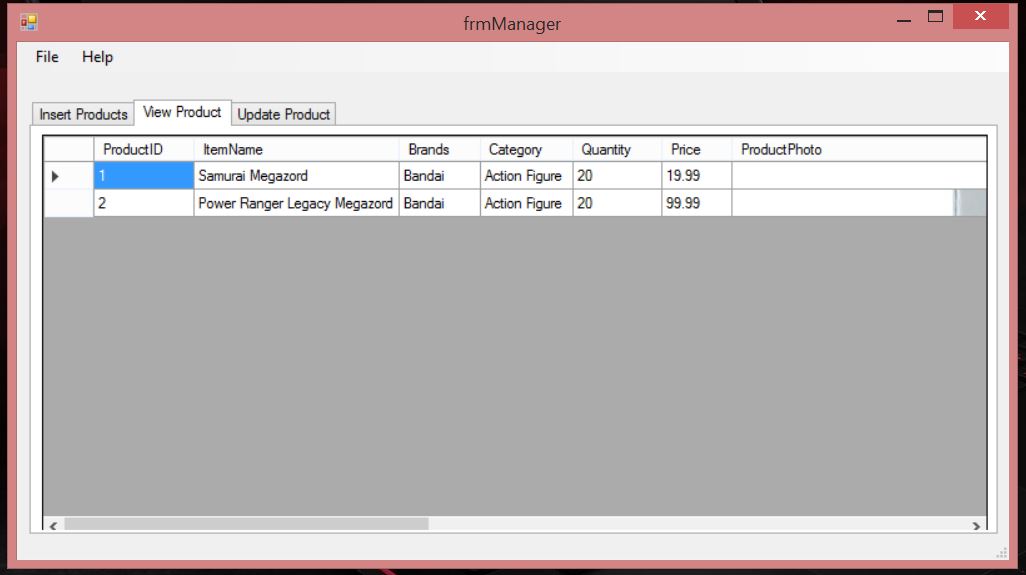
When the user click a cell underneath a column a prompt will appear asking if the user want to update info about the products in questiona tab will display allowing the manger to change the info about the product, when the Manager clicks update buttonThe Item Name has changed to ‘Samurai Megazord’ from ‘Power Ranger Samurai Megazord’, the Quantity to 20 from 50, and the price from 49.99 to 19.99
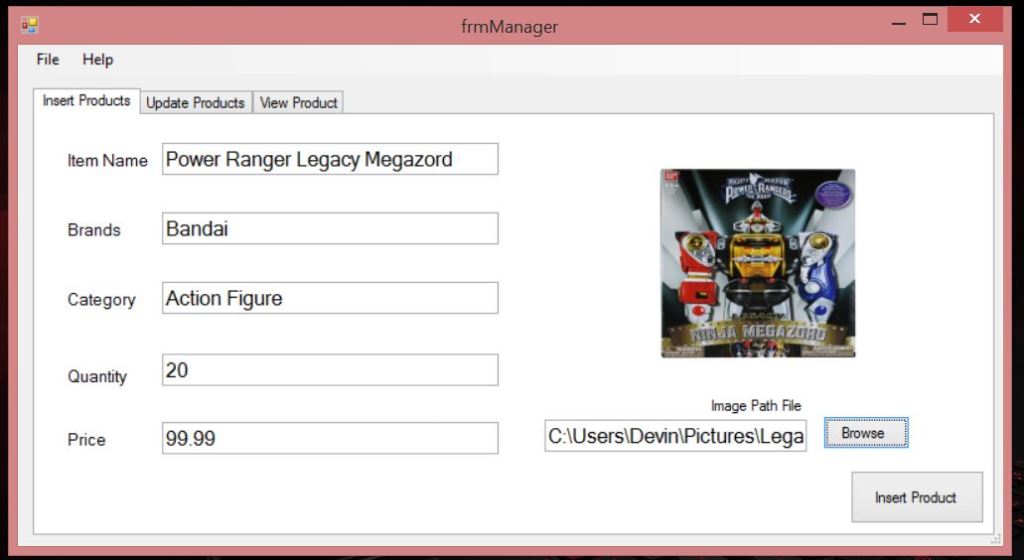
The goal of this week was to allowing the manager to insert, update and delete toy products in the manager form to be added to the toy store. it didn’t take me all that long to insert,update and delete products but i will have to revise the update and deleting part to be more easier for the manager because the current version is adequate to put it lightly and i also change the login to require an username and password instead of a email and password because it more efficient than plus the email will be used for the user to obtain a new password should they forget their old one. Next week I will work on allowing the customer to view the products available in the store
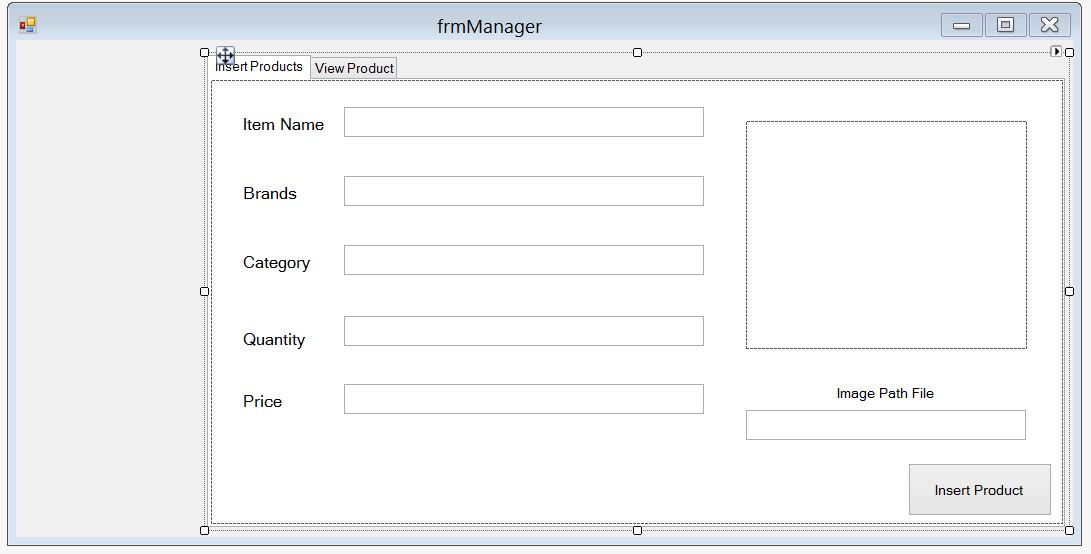
updated version the employee login formThe Manager enter the data on the toy products and upload a picture of the product itself.After the Mangers clicks Insert Products ButtonItem was inserted into the Database successfully and display for the manager to update and delete
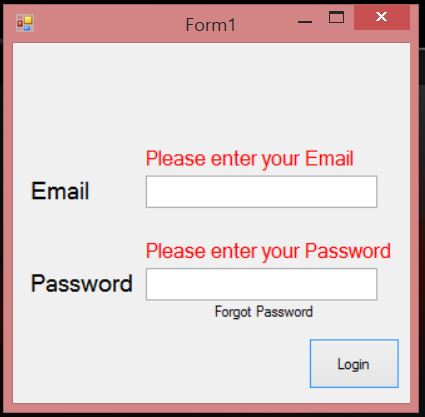
The goal of this week was to create a employee table to insert employee and creating a login form for the employees and manager to login into. It did take me awhile to find a good login code to go with when searching thru google because most didn’t seem to work the way i wanted it to but when I ask a friend for help they came up with a sufficient one for the project that instead of checking the username and password of the user, it checks a third option to see if the user logging is an employee or an manager. The employee login work for employees and manager but the login error doesn’t work for when the inputs invalid data or the user fails to login in three times. Next week I will work on allowing the manager to insert, update and delete toy products in the manager form to be added to the toy store
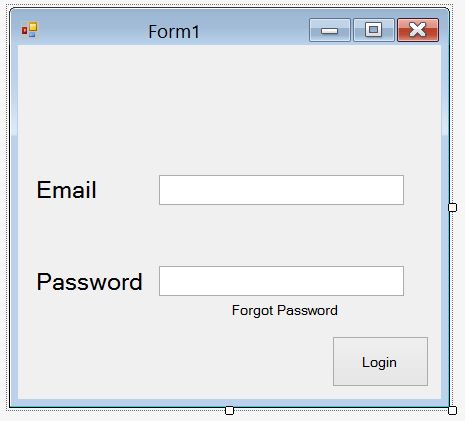
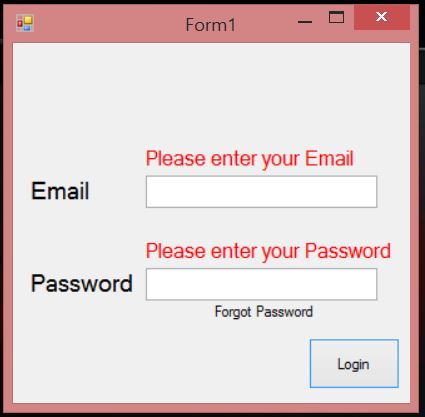
this is the login form for the employees and mananger if the user doesn’t input any word in the email and password textbox, text appear above a textboxes asking for your email and password if the manager was successful in logging in the manager form display and the the employee login form doesn’t display





 Devin Final Project Documentation